f/Four Try it

Camera app for iPhone 18 Pro and iPhone 18 Pro Max

One tap.
One aperture.

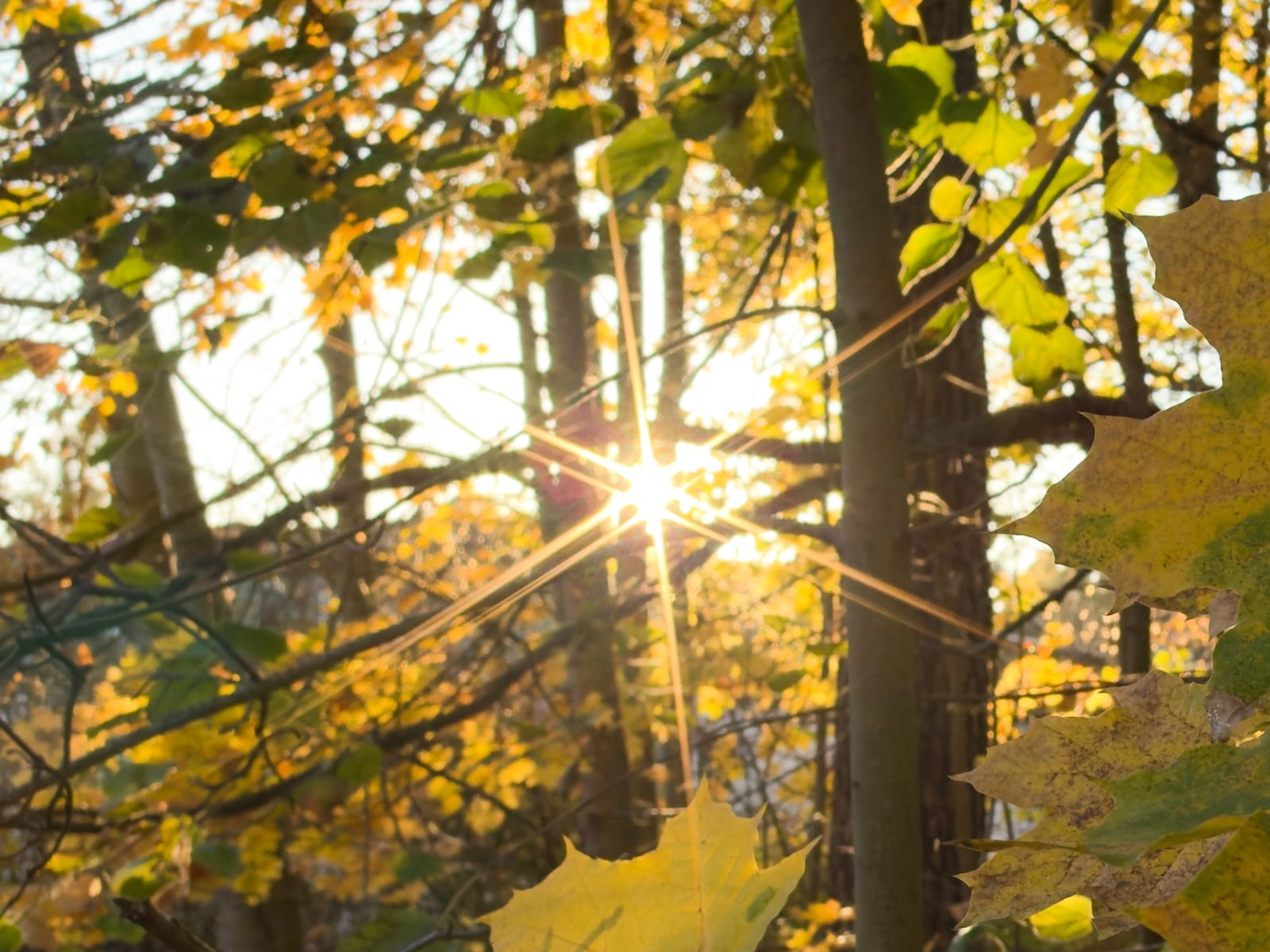
Turn sunlight into a star. And decide for yourself how you shoot – with the variable aperture of the iPhone 18 Pro and 18 Pro Max.

Available now as a TestFlight beta

I’m still working hard on f/Four. If you try it, please send me feedback – right from the app via “Send feedback” or by email to marc@reisezoom.com.

Get f/Four on TestFlight →What is TestFlight?

Real screenshot from f/FourReal photo from f/Four · ƒ1.48 · 1/1250 s · ISO 79

Tap ƒ4.0 ↑

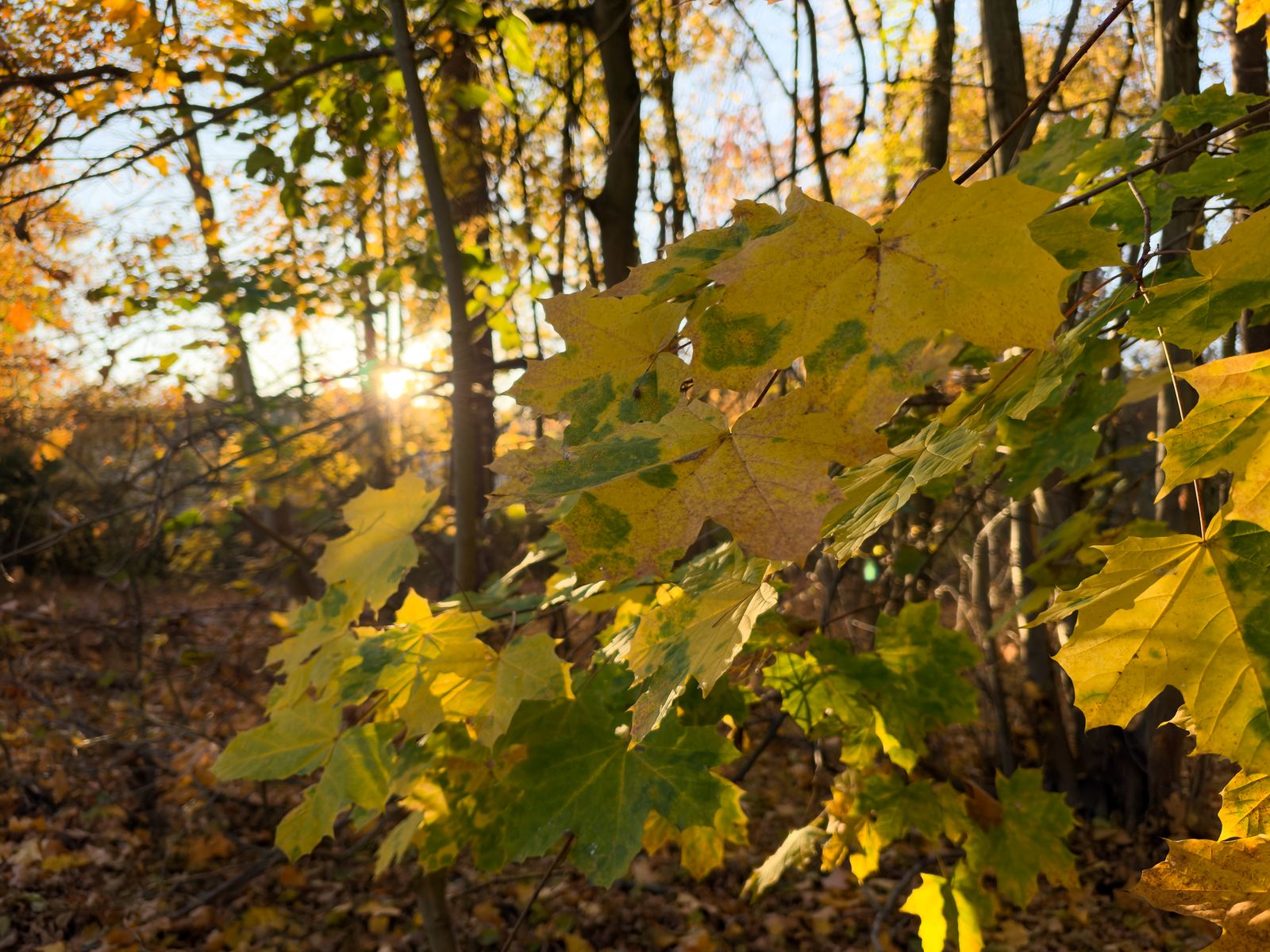
Turn light into a star.

ƒ1.48 · 1/1250 s · ISO 79

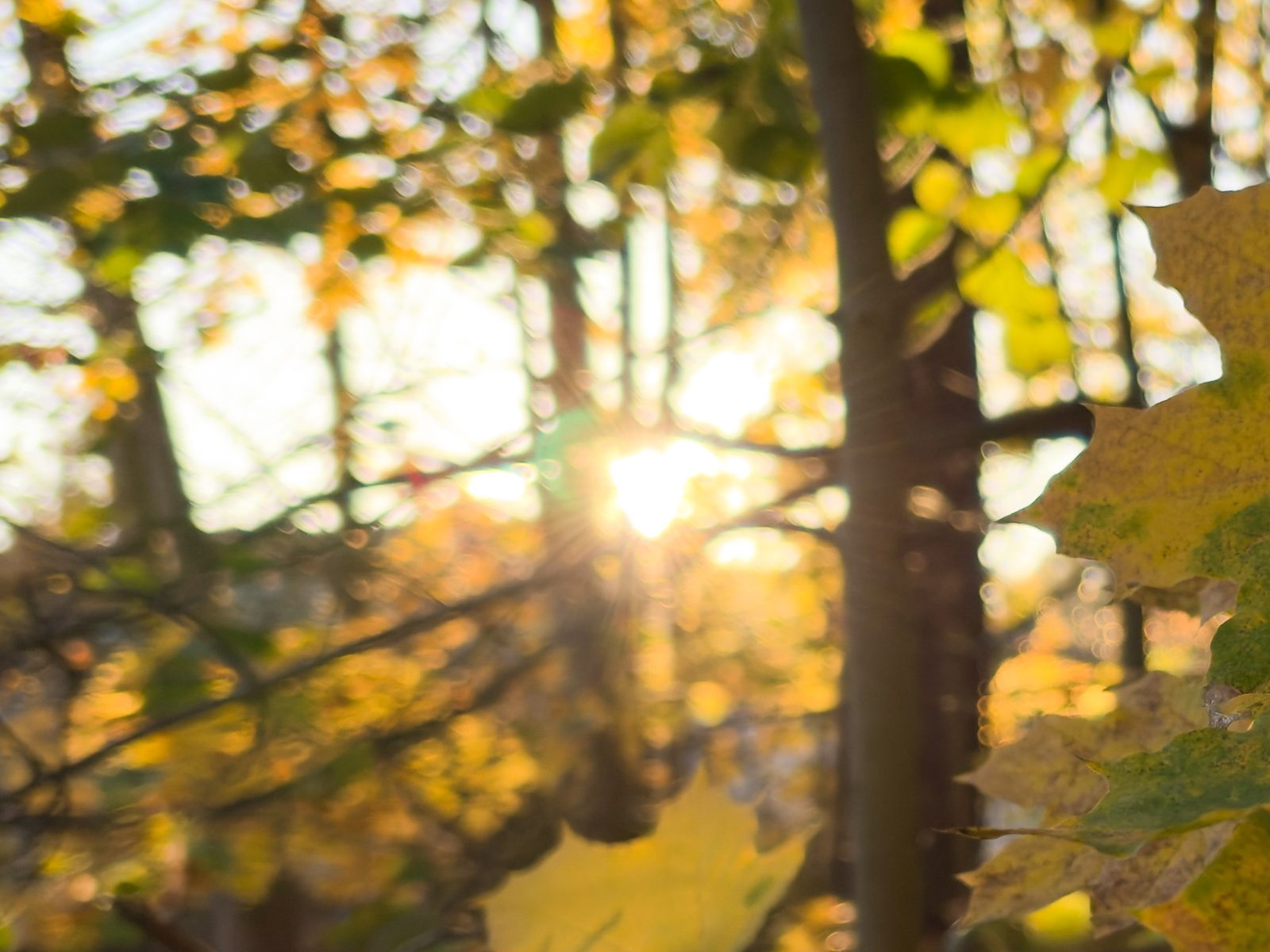
Wide open: ƒ1.48

The most light. The sun stays a soft blob.

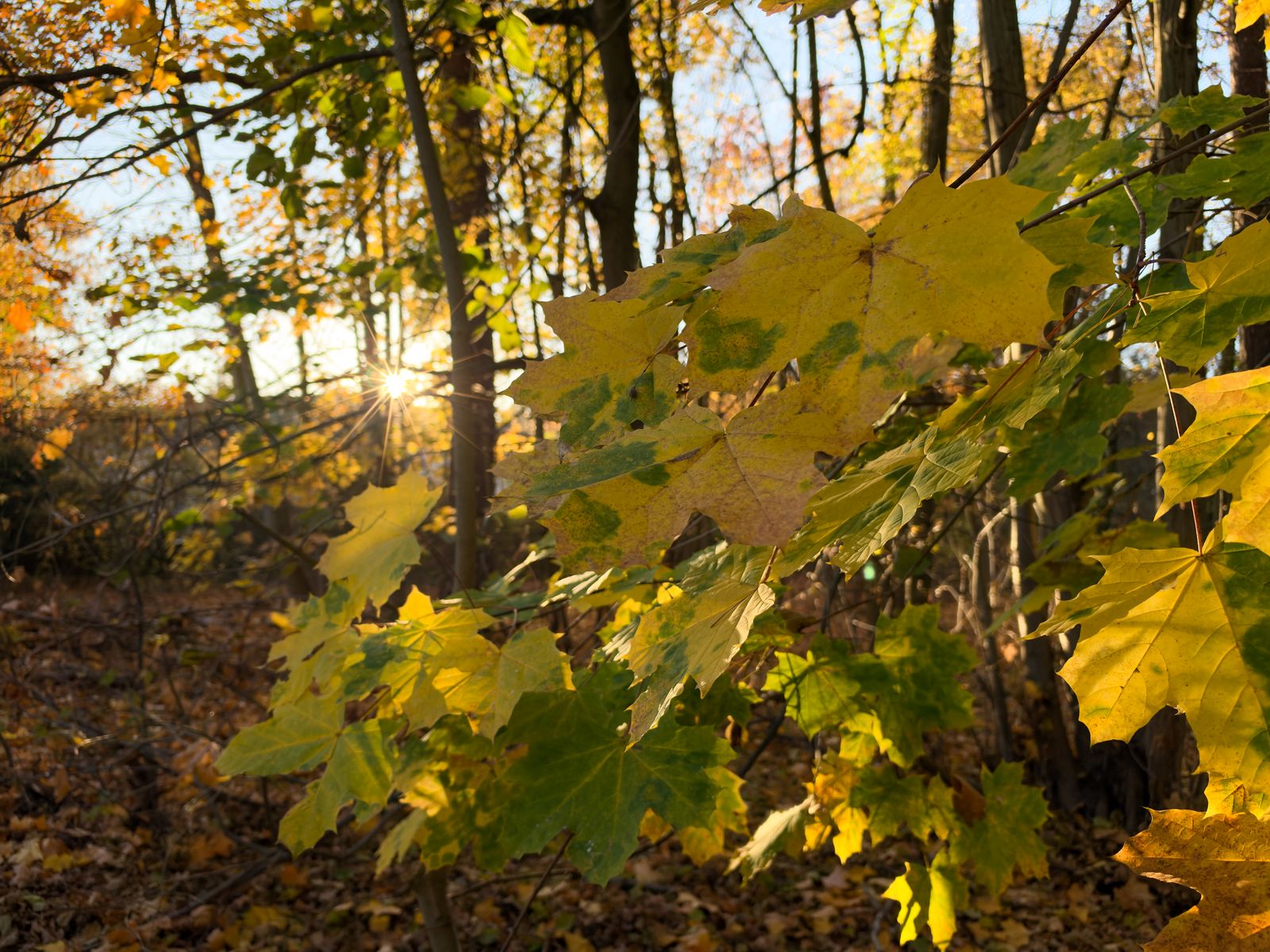
ƒ2.8 · 1/400 s · ISO 78

ƒ2.8

The first rays – and sharper corners.

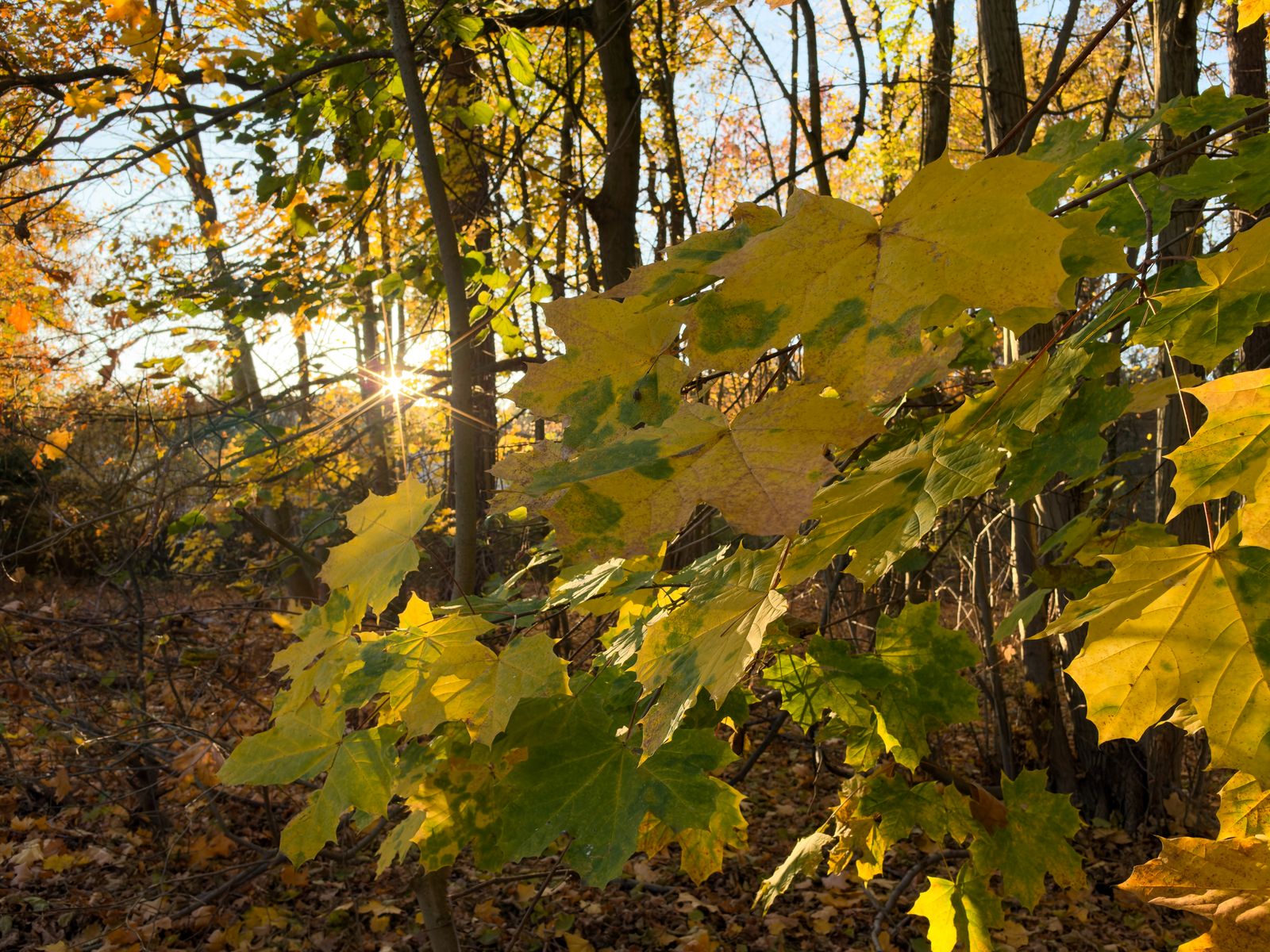
ƒ4.0 · 1/160 s · ISO 72

ƒ4.0: the star

One tap and the sun becomes a star.

Built for iPhone 18 Pro and 18 Pro Max – only these two have the variable aperture. I’ve only tested it on the iPhone 18 Pro – f/Four should also run on older iPhones, you just can’t change the aperture there.

Take a closer look.

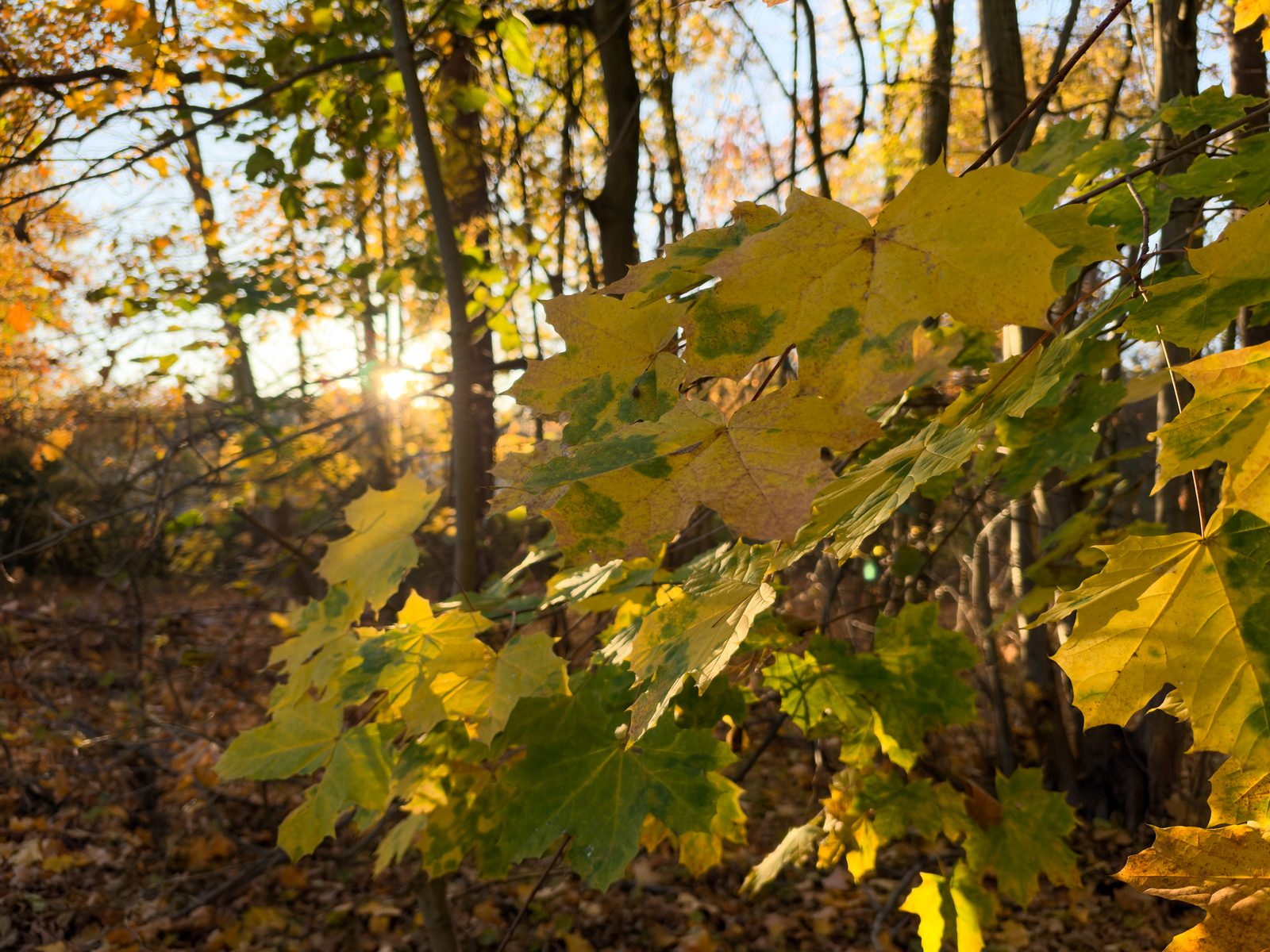
Same spot, ƒ1.5 on the left, ƒ4.0 on the right. Drag the slider.

Comparison ƒ1.5 and ƒ4.0 ƒ1.5ƒ4.0

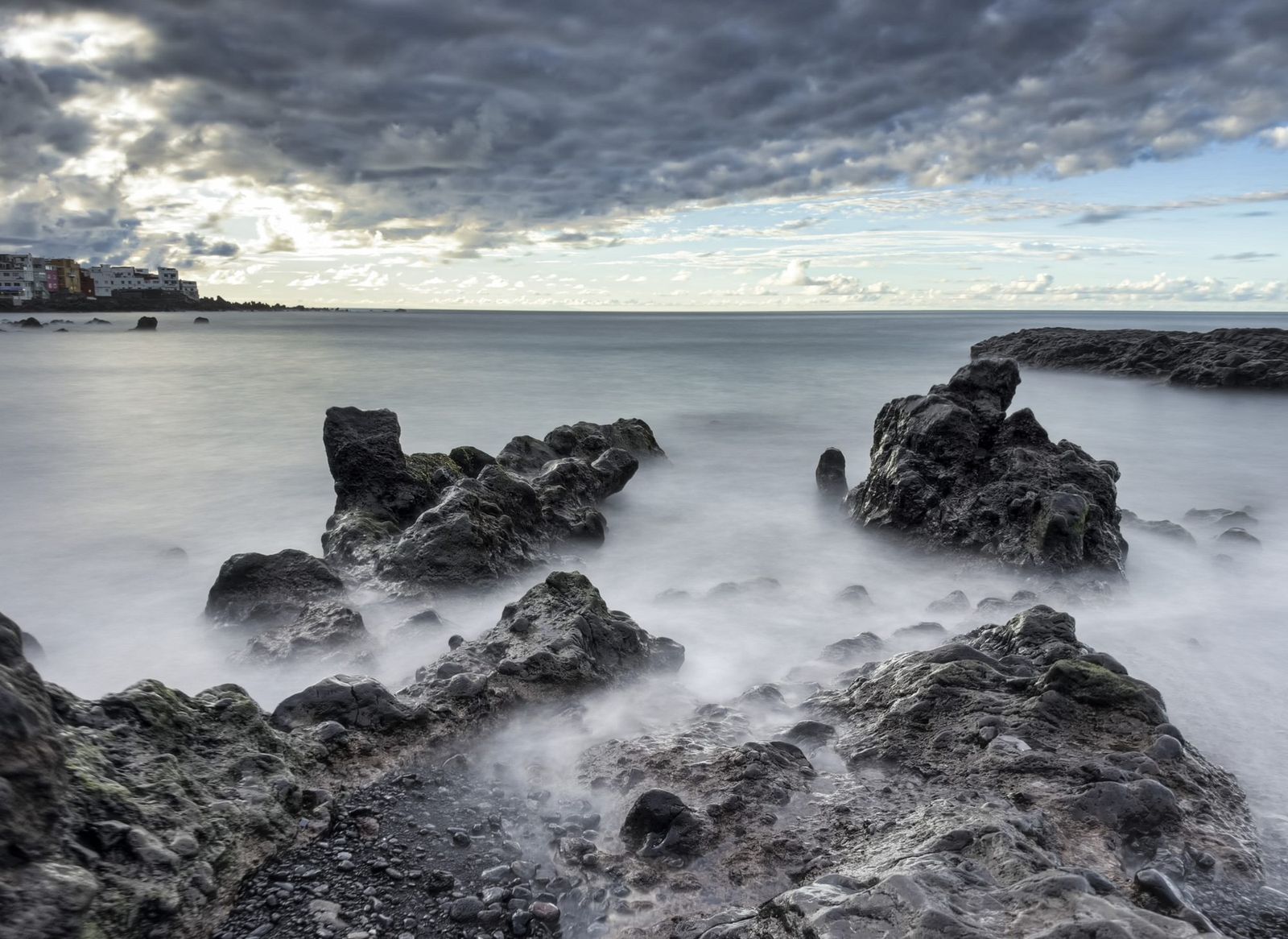
Let water flow.

f/Four collects many short frames and merges them into one long exposure – on a tripod and even handheld.

Real screen recording from f/Four: ND handheld by the sea. 61 seconds of capture (8× faster here) – f/Four aligns every frame and merges them (16× faster), then the result.
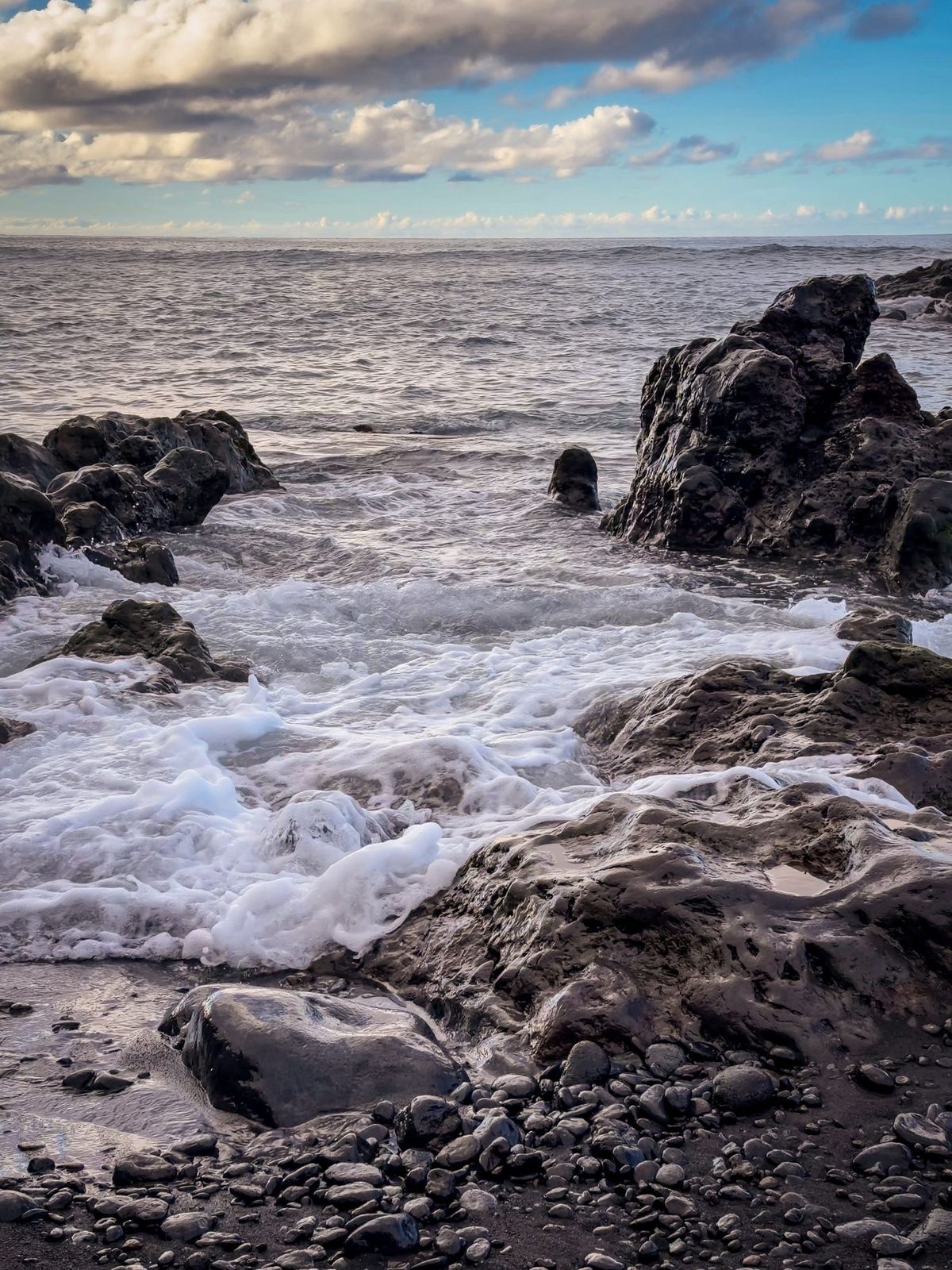
The result from the video: 61 seconds handheld, more than 1,300 frames – the surf lies around the rocks like mist.
  • ND · 30 s handheld
    ND · 30 s handheld
    Smooth waterND: waves, streams and clouds turn soft.
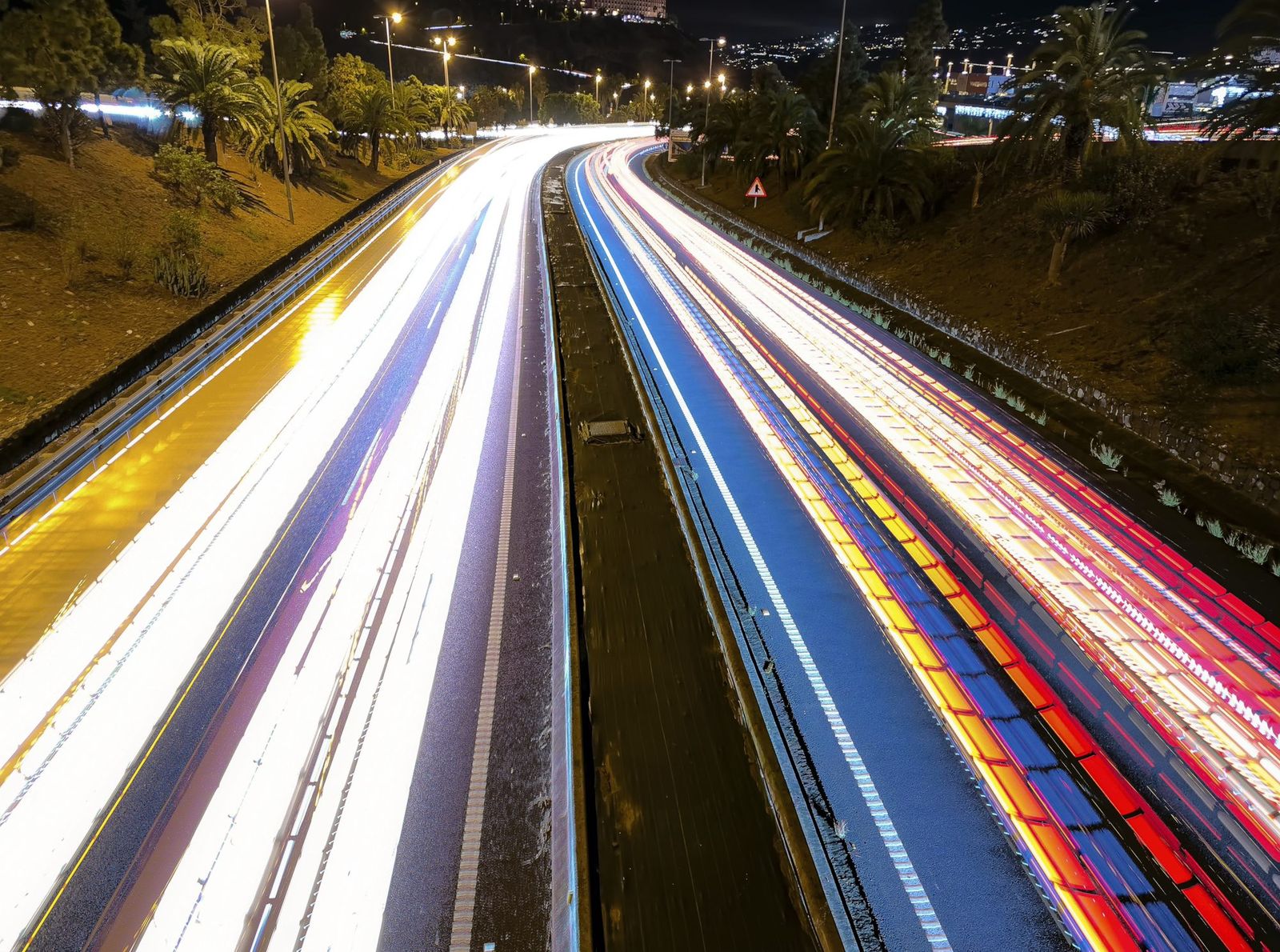
  • Trails · 30 s handheld
    Trails · 30 s handheld
    Light trailsTrails: cars and ships draw lines at night.
  • Remove · 60 s handheld
    Remove · 60 s handheld
    Remove motionRemove: people walking through the frame disappear.
ND · 3 minutes on a tripod – the clouds turn into streaks
Trails · 2 seconds handheld

One frame versus many.

Left a single frame from the capture, right the result: ND, 9.8 seconds on a tripod. Drag the slider.

Comparison single frame and ND long exposure Single frameND 9.8 s

Tech for photo nerds (10-bit, TIFF, photo stacks) is in the manual →

As much control as you want.

Manual exposure

Set shutter, ISO, white balance and focus individually – or leave it all to the iPhone.

Viewfinder aids

Histogram, level, focus peaking, false colour, zebras and loupe.

RAW and 4K

HEIF up to 48 MP, ProRAW, unprocessed RAW and 4K video up to 120 fps.

Plus: gallery with share and delete, feedback straight from the app, Camera Control and Lock Screen.

Marc Arzt

Hi, I’m Marc.

I shoot a lot outdoors and show on Reisezoom what cameras are worth on the road. I built f/Four because I don’t want iPhone photos to look like iPhone photos. Pick the aperture directly, set the exposure yourself, let water flow – I want to decide how the picture turns out, not the iPhone.

I use the app myself and keep developing it with your feedback.

Available now as a TestFlight beta

What is the pioneer phase?

Once f/Four is on the App Store, the first 250 or so people who download it there get every feature for free – and keep them for good. After that there will be a free basic version (Lite) and upgrades, one-time purchases only, no subscription. Long exposures over 1 s can then be tried in Lite too, with a small watermark.

Beta via TestFlight

Right now f/Four is only available as a beta via TestFlight. TestFlight is Apple’s own app for testing apps that aren’t on the App Store yet: get TestFlight for free from the App Store, open my invitation link and install f/Four from there. New versions then arrive automatically.

Get f/Four on TestFlight →

f/Four is made for the iPhone 18 Pro and 18 Pro Max. So far I’ve tested it on the iPhone 18 Pro. It should also run on older iPhones – you just can’t change the aperture there.

I’m still working hard on f/Four, so: feedback is welcome and very much wanted. what do you like, what bothers you, what’s missing? The easiest way is “Send feedback” in the app, or by email to marc@reisezoom.com. As soon as f/Four is on the App Store, you’ll find the link here.

Questions and answers

Does f/Four run on older iPhones?

It should. f/Four is built for the iPhone 18 Pro and Pro Max, because only their main camera has a variable aperture. So far I’ve only tested it on the iPhone 18 Pro. On older iPhones the aperture buttons stay grey, everything else should work – let me know how it runs for you.

What is TestFlight?

TestFlight is Apple’s official app for testing apps before they launch on the App Store. Here’s how: get TestFlight from the App Store, open the invitation link testflight.apple.com/join/nVrsWH5U and install f/Four. For now this is the only way to get f/Four – for free.

Why are the aperture buttons sometimes grey?

The aperture buttons are grey when the selected camera has a fixed aperture: at 0.5×, 4×, 8× and on the front camera. They work at 1× and 2×, because 2× is a crop of the main camera.

Does the aperture actually matter on an iPhone?

Yes, but differently than on a big camera: with a small sensor, depth of field barely changes. ƒ4.0 is mainly worth it for a sunstar, sharper corners and slower shutter speeds in video. ƒ1.48 gets the most out of low light.

Where do my photos go?

Your photos and videos go to the Photos app on your iPhone as usual. f/Four doesn’t upload anything and has no cloud of its own – inside the app you only see the shots you took with f/Four.

Does f/Four cost anything?

Right now f/Four is completely free. The first 250 or so people who download it from the App Store keep everything forever. After that there will be a free basic version and one-time upgrades – no subscription, no ads.

How do I report a bug?

The quickest way is right in the app: Settings → “Send feedback”. You can attach a screenshot; app version and iPhone model are included automatically so I can reproduce the bug.

How can I reach you?

Preferably via “Send feedback” in the app – then I know right away which version you use. Otherwise by email to marc@reisezoom.com.